
Newsweek
10,000 IT Pros rank CloudAlly’s backup & restore solution as No.1

Official Partner of Constant Edge
Protect Microsoft 365 and Google Workspace with secure, automated cloud-to-cloud backup. Recover Exchange, Gmail, Teams, Google Drive, OneDrive, SharePoint, calendars, contacts and more following accidental deletion, ransomware or user error.

WHO ARE CLOUDALLY
Founded in 2011, CloudAlly was one of the first cloud-to-cloud backup providers and launched the first commercially available Microsoft 365 cloud backup in 2014. Now part of OpenText, CloudAlly combines proven backup and recovery technology with the scale of a global information management company. Constant Edge is one of CloudAlly’s leading partners, deploying and supporting the platform for Microsoft 365 and Google Workspace customers worldwide.
HOW DOES CLOUDALLY WORK
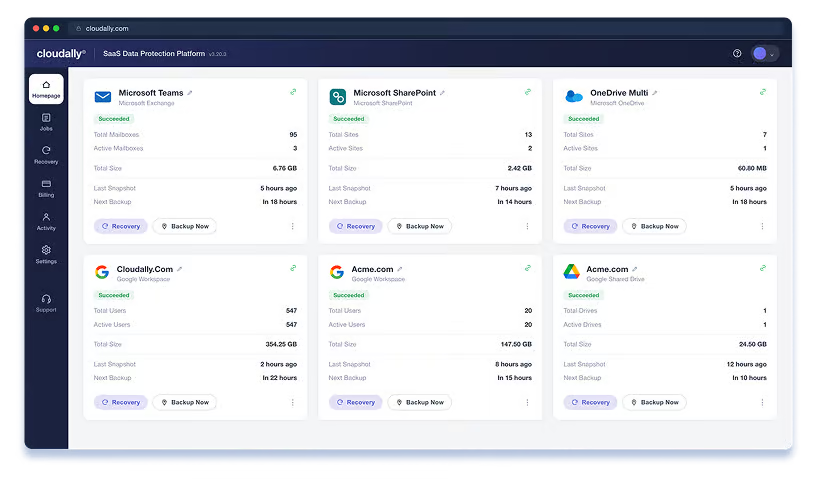
CloudAlly connects securely to Microsoft 365 or Google Workspace using OAuth and runs automated daily backups, with on-demand backups available when needed. Search historical snapshots and recover individual messages, files, folders, calendars, mailboxes or user data without overwriting current information.
WHY SHOULD I USE CLOUDALLY
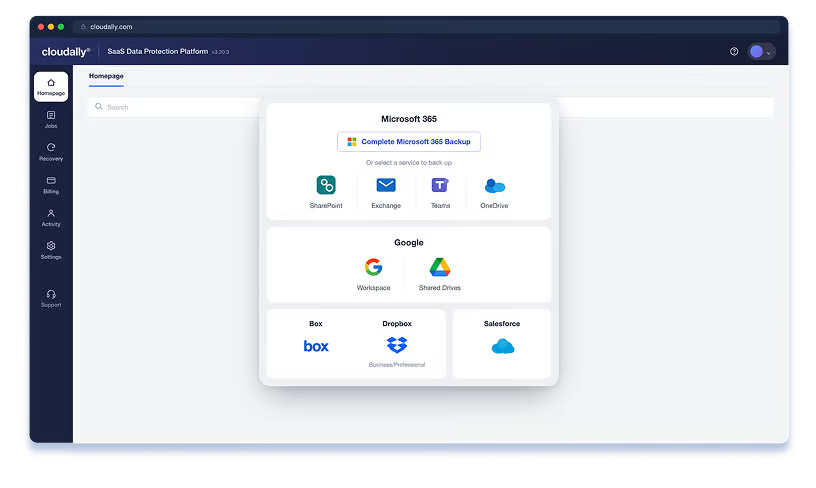
Microsoft 365 and Google Workspace provide resilient cloud platforms, but customers remain responsible for protecting their own data. Native retention and recovery options vary by workload, licence and policy-and they are not a substitute for an independent backup. CloudAlly protects against accidental deletion, sync errors, ransomware and malicious activity with separate backup copies, long-term retention and granular recovery. It is ISO 27001 certified and supports GDPR and HIPAA compliance requirements.
TRY BEFORE YOU BUY
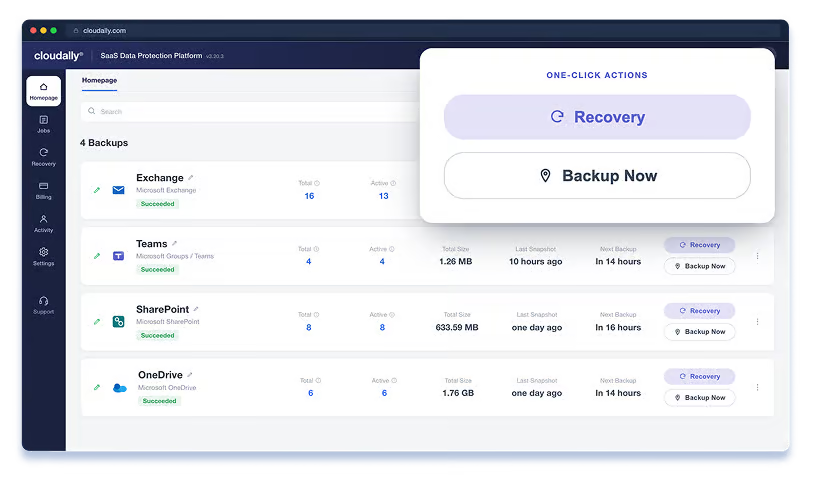
We connect CloudAlly to your Microsoft 365 or Google Workspace environment, activate the required backup jobs and verify that your data is being protected. At the end of the trial, we review backup coverage, demonstrate search and recovery, and confirm your retention and storage configuration.
BENEFITS OF CLOUDALLY
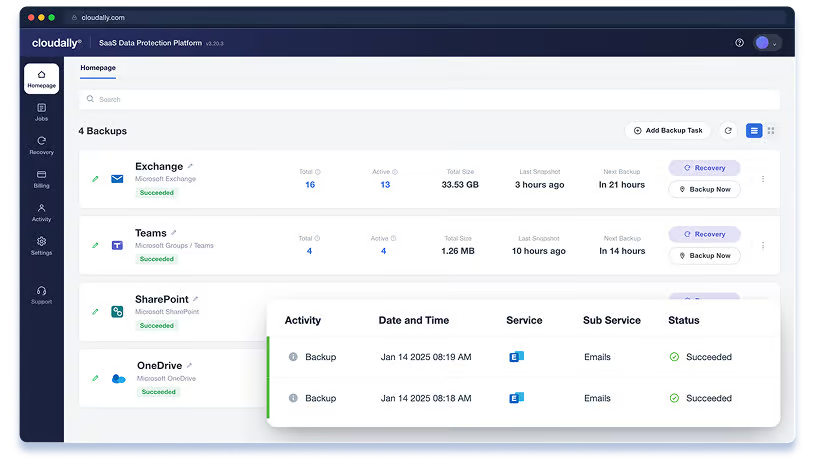
CloudAlly brings automated backup, granular recovery, status monitoring and audit logs into one intuitive console. Choose where your backup data is stored, apply the retention your organisation requires, and use immutable storage or Bring Your Own Storage where appropriate. CloudAlly is also developing Microsoft Entra ID backup, currently in beta and targeted for general availability in Q1 2027.
AWARDS AND RECOGNITION
10,000 IT Pros rank CloudAlly’s backup & restore solution as No.1

Backup & Recovery Leader, Summer 2026: Recognised for cloud backup and recovery performance across Microsoft 365, Google Workspace and Salesforce.

Rated 4.6/5 in 2023 by customers of Microsoft 365 Backup.
HOW WE DEPLOY IT
For most customers, setup is straightforward: an administrator signs in using OAuth, selects the users and services to protect, and CloudAlly starts backing them up automatically. We provide additional planning for large data volumes, multiple tenants or regional data-residency requirements.
STEP 1
An authorised Microsoft 365 or Google Workspace administrator connects the environment using OAuth. No software, infrastructure or DNS changes are required.
STEP 2
Select the users, workloads, backup location and retention required. We review the configuration and advise on any settings that need additional attention.
AUTOMATIC
CloudAlly creates the backup jobs and starts the initial backup automatically. A standard deployment can normally be configured in a single session, although the first backup’s completion time depends on the amount of data.
COMPLEX DEPLOYMENTS
Multinational organisations may need data stored in different jurisdictions—for example, US data in the US and EU data in the EU. Multiple tenants and very large data volumes may also require a phased approach. In these cases, most of the additional work is planning the scope, storage regions and verification rather than configuring the service.
Most deployments are configured quickly. Multi-region, multi-tenant and high-volume environments take longer to plan, ingest and verify.
CLOUDALLY AND CONSTANT EDGE
We connect and configure CloudAlly against your tenant. Under 2 hours for SMB, a day for larger deployments.
Your support contact is the engineer who set it up – not a ticket queue.
We'll tell you if CloudAlly is the right fit for your volume and use case. If it isn't, we'll say so.
From the team behind Expert Insights, the independent research platform read by over a million security professionals a year.
FAQ
A standard Microsoft 365 or Google Workspace deployment can usually be configured in around 15 minutes. An administrator connects through OAuth, selects the users and services to protect, and backups begin automatically. Initial backup time depends on data volume. Multi-tenant or multi-region deployments require additional planning and verification.
Yes. We offer a 14-day free trial so you can see the backup and recovery capabilities in action before committing. Contact us to get started.
Standard pricing starts at US$30 per protected user per year. Bespoke pricing is available for organisations with 100 or more users, not-for-profit organisations and educational institutions. We can bill in multiple currencies, including USD, CAD, AUD, EUR, SGD and NZD, with other currencies available on request.
CloudAlly pricing is typically stable at renewal. We will flag any changes in advance and advise on the best package for your seat count and retention requirements.
For Microsoft 365, CloudAlly protects Exchange mail, calendars, contacts, tasks and notes; shared mailboxes and public folders; OneDrive, SharePoint and OneNote; and Teams and Groups. Google Workspace coverage includes Gmail, My Drive, Shared Drives, Calendar, Contacts and Tasks. Backups run automatically each day and data is retained for as long as your subscription remains active, unless you request a shorter retention period.
Microsoft and Google protect the availability of their platforms and provide native features such as recycle bins, version history and retention policies. These are valuable, but they are not independent backups, and recovery options vary by workload and configuration. CloudAlly adds separate automated backup copies, long-term retention, point-in-time recovery and granular or cross-user restoration.